
Should you hear an email word for word or make an audio briefing?
Use the original text when wording matters; choose a briefing when you need a comparison across sources.
You have two very different ways to hear an email on an iPhone. You can ask the phone to read the text that is already on screen, or you can choose a few public sources and ask for a new audio briefing organised around a question. The right choice depends on whether you need the writer's exact words or a useful explanation built from selected material.
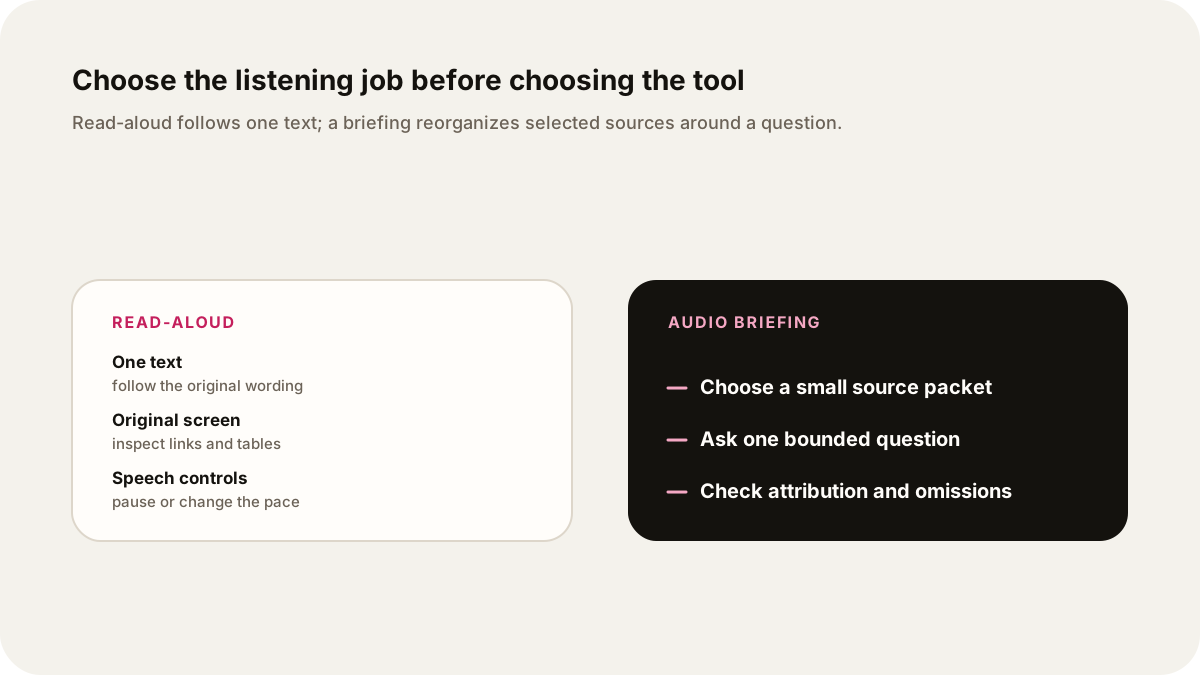
This distinction matters when an email contains a contract clause, a technical detail, a personal decision, or a claim you may need to check later. A spoken reading keeps the source close. A briefing can save you from stitching several public items together, but it will choose what to leave out.
Choose an exact reading when the wording matters
Apple's current iPhone guidance puts spoken text under Settings > Accessibility > Read & Speak. From there, Speak Screen can read all text on the screen, while Speak Selection reads text you select. Apple also documents Accessibility Reader, which presents supported text in a full-screen reading view and can play it aloud. The available controls include pausing, changing the speaking rate, and moving through the content.
That is the useful path for a single newsletter issue you want to hear without changing its meaning. Keep the original email open if the words themselves matter. A read-aloud tool may still handle headings, links, footers, or layout in a way that is less useful than the author's intended order, so check the screen when a sentence has consequences.
An exact reading is also the safer choice for:
- a policy update where one qualification changes the rule
- a product announcement where the dates and limits matter
- an essay you want to quote or annotate
- an email with tables, charts, or links you need to inspect
The tradeoff is that the phone is reading one item at a time. It will not decide which three newsletters answer your question, explain a disagreement, or remove repeated background for you.
Choose a briefing when the question matters more than the email order
A source-based briefing starts with a question and a small source packet. For example, you might select one public climate newsletter, a regulator's update, and a company filing, then ask: “What changed this week in heat-pump incentives, which claims come from which source, and where do the sources disagree?” The result you want is a short explanation with attribution and a list of what to check yourself.
Lissin can make a personal audio show from a topic or supplied sources, including newsletters, websites, RSS feeds, articles, PDFs, documents, and supported accounts such as Gmail. You can choose an editorial direction and length, then make a one-time or recurring show.
If you connect Gmail, treat that as an interest and source-selection decision, not as a way to read every message aloud. Connecting is optional. Lissin reads a bounded sample of opened or sent mail to derive interests, does not read unread mail or the whole mailbox, and does not store messages or attachments. Read the current permission screen and privacy policy before connecting an account.
Narrow the source packet before you write the brief
The source list is where most briefing quality is decided. Start with one question, then pick two to four items that can answer it. A practical selection might look like this:
- One newsletter that explains the development in plain language.
- One primary public source, such as a government notice, research paper, or company filing.
- One independent report that adds a different view or checks the scale of the claim.
Do not add every email that mentions the same subject. Mixing public, private and paywalled material introduces different access and privacy constraints. Use public links you can open. Before including private account material or attachments, check how the service handles that material and whether the access is appropriate for your purpose.
Choose a job for the briefing: decide which source deserves a full read, identify what changed, or find a question to investigate next.
Use a brief that keeps the evidence visible
Here is an illustrative request using public material:
Use three public links I supply: a device manufacturer's announcement, its technical specifications, and an independent review. Explain what changed from the previous model, attribute each claim, and distinguish published specifications from the reviewer's observations. Keep it to eight minutes. List two details I should check in the original pages and say when a source does not answer a question.
That brief gives the audio a job and gives you a way to judge it. If your real job is to preserve every sentence of one newsletter, use an exact reading instead. If your job is to compare a small set of sources, name the comparison and keep the links beside the episode.
Keep the original beside the audio
An audio briefing is a new presentation. It can compress background, reorder points, and omit a qualification that matters to you. Lissin's terms say generated output is provided without a warranty that it will be accurate, complete, or reliable. That is a reason to keep the source packet available, especially for money, health, work, legal, or civic decisions.
For a first attempt, compare the opening minute with the question you wrote. Did the briefing name the sources? Did it distinguish an observed result from a prediction? Did it tell you what it left out? If the answer is no, narrow the question or return to the original text. A fluent voice is not evidence that the source was represented completely.
Choose read-aloud for fidelity to one email. Choose a source-based briefing for a bounded question across a few sources. Both are useful when you keep the scope visible and let the original material carry the claims that need checking.
Sources
- Apple Support: Hear iPhone speak the screen, selected text, and typing feedback: current Speak Screen, Speak Selection, Read & Speak, and speech-control guidance.
- Apple Support: Read or listen to text in apps with Accessibility Reader: current Accessibility Reader description and access options.
- Lissin on the App Store: published iPhone product description, source types, Gmail mention, format, direction, and length claims.
- Lissin Privacy Policy: current published description of optional Gmail scope, processing, retention, and controls.
- Lissin Terms and Conditions: current disclaimer about generated output accuracy, completeness, and reliability.
- Listening versus reading a long article: choosing between full reading and a personal show when omissions matter.
- How AI turns research into a personalized audio show: writing a question-led brief and checking what the result leaves out.
- How to verify an AI-generated news summary: a source-checking workflow for spoken summaries.