
Turn an article or web page into a podcast
Paste an article's link or text into Lissin and get a podcast about it: a walk-through, a two-voice discussion or only the parts you care about.
The short answer
Copy the article's link, add it to a new request in the Lissin iPhone app and say what you want: a walk-through, a two-host discussion or only the parts that bear on your question. Lissin reads the page, writes a script and voices it. Pasted text works the same way, and one episode can take up to 20 links.
How to do it
Use the link when the page is public
Copy the URL from Safari, Chrome or a news app, then add it in Lissin's Create screen. Lissin does not appear in the iPhone share sheet yet, so the link is pasted rather than shared. Most pages that open without signing in can be read, including blog posts, documentation and journal articles that are free to view.
Paste the text when the page needs a login
Lissin cannot sign in to a site on your behalf. For an article you can read in your own account, copy the text and paste it into the request. That takes up to 8,000 characters, about 1,300 words, including your instructions. For anything longer, save the page as a PDF and upload it on a paid plan.
Say what kind of episode you want
"Walk me through this in order" gives a faithful summary. "Two hosts: one explains it, one pushes back" gives a discussion. "Only the parts that matter for a small landlord" gives a briefing for you. Lissin rewrites the article as spoken audio. It does not read it word for word.
Put several articles into one episode
Add up to 20 links and ask what they agree on, where they differ and what is new in each. Five pieces on one story become a single episode you can finish on a walk, and the episode lists the sources it used so you can go back to any of them.
At a glance
- Links per episode
- Up to 20
- Pasted text
- Up to 8,000 characters including your instructions
- Uploads (Plus and Pro)
- PDF, DOC, DOCX, PPTX, XLSX, EPUB, HTML, Markdown, text and images, up to 120 pages, within your plan's file limits
- What you get
- A spoken episode for one or two voices, with its sources listed
- Where it plays
- The iPhone app, with offline downloads on paid plans, or a share link in any browser
Hear what comes out
Shows already published on Lissin, free to play in the browser.
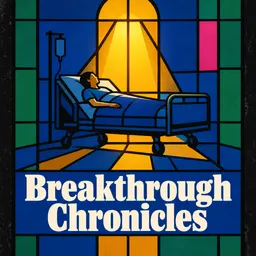
When Mold Changed the World: The Dramatic Discovery of Penicillin
Breakthrough Chronicles · 7 min
The discovery of penicillin, written from published papers and articles. The episode page links each source.

The Day the Sky Exploded: Unraveling the Tunguska Mystery
Hidden Histories Uncovered · 6 min
The 1908 Tunguska explosion, built from NASA write-ups and other pages listed with the episode.

Standing Just Offstage: The Day Lincoln Spoke at Gettysburg
Speech Spotlight Weekly · 6 min
The day Lincoln spoke at Gettysburg, drawn from the Library of Congress, museum pages and the text of the address.
Questions
- Will it read the article to me word for word?
- No. Lissin writes a new script from the article, so the episode is shorter and spoken. If you need every sentence as written, a text-to-speech reader suits the job better. Our Speechify comparison covers that case.
- What happens with a paywalled article?
- Lissin cannot get past a paywall or a login, and an episode built only on that link fails with an error. Paste the text you can read in your own account instead.
- Can I share an article to Lissin from Safari?
- Not yet. Copy the link in Safari and paste it into a new request in the app.
- Can I listen in my podcast app?
- Episodes play in Lissin or from a web link. There is no RSS feed to add to Apple Podcasts, Spotify or Overcast.
What this does not do
Creating an episode needs the iPhone app on iOS 26 or later, and there is no share-sheet extension, so links are pasted. Pages behind a login or a paywall cannot be read. Uploads need a paid plan. The episode is an interpretation of the article, not a recording of it, so check quotes and numbers against the original before you rely on them.
Make your own show, or hear a sample
Make a show from your topic or documents in the Lissin iPhone app (iOS 26 or later). Or listen to public shows in the web player without installing the app.

Last reviewed October 20, 2026 by Lissin Editorial.