
How to turn a travel itinerary into a personal audio brief
A travel brief should tell you what is booked, what is planned, which local times were converted, and what still needs a fresh check before you leave.
Your travel plan is probably spread across a booking email, a train page, a hotel address, and a note that says “leave early.” That is enough to make a trip feel busy. It is not yet a useful itinerary.
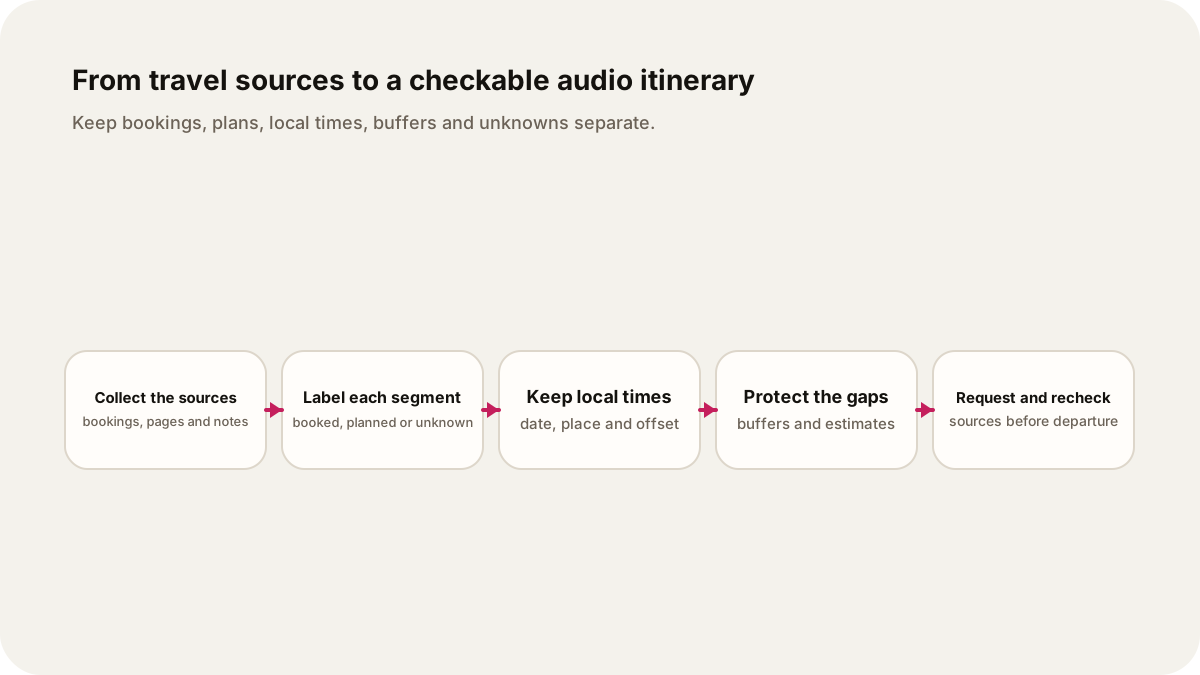
A personal audio brief can turn those sources into a short plan for one journey. Give it the dates, the places, the transport pages, your question, and the decisions you still need to make. Keep booked segments, intended segments, time-zone conversions, buffer time, and unknowns as separate fields. The resulting audio can help you understand the plan. It cannot buy a ticket, confirm a reservation, send an alert, or give live navigation.
Start with the trip question
“Tell me about my trip” leaves too many choices to the narrator. Give the brief one job instead:
Which parts of my 14 November trip from New York to Boston are booked, which are still ideas, and what should I verify before I leave?
That question creates a useful order. The audio can read the confirmed train, compare a planned local transfer, point out a gap between arrival and check-in, and finish with the pages you need to check. It does not need to invent a smooth story around missing information.
Before you attach anything, write down four details:
| Field | What to record |
|---|---|
| Date | Departure and arrival date for each segment |
| Place | Station, airport, hotel or meeting point as written by the source |
| Time | Local time and the source's time zone |
| Status | Booked, planned, flexible, or unknown |
The status label is the guardrail. A booking confirmation is evidence of a reservation. A saved search is a plan. A sentence such as “take a taxi from the station” is an idea until you choose the service and allow for its uncertainty.
Let the official page set the clock
Use the transport operator's dated page or booking record for a segment. Amtrak's official timetable tool asks for origin, destination, and a date or date range, then returns the available options for that search. That makes the date part of the source, not a detail to add later. Check the Amtrak timetable for the actual route and date you plan to use.
For trains in Great Britain, National Rail's Journey Planner provides live departures and disruption information, including planned work up to 12 weeks ahead. Its check-before-you-travel guidance says services and timetables can change around planned engineering work. A brief made on 11 October can preserve what the page said that day, but it cannot turn that snapshot into a guarantee for travel day.
International trips add another dated source layer. The U.S. Department of State's international travel checklist tells travelers to check destination entry requirements and says the page was last updated 11 August 2025. The UK Foreign Travel Checklist shows a 5 June 2026 update. Those dates belong in the handoff. Entry rules, passport requirements, and advisories are current-source checks, not permanent itinerary facts.
A hypothetical itinerary, with the labels left visible
Illustrative example, not a booking: imagine a traveler in New York planning a two-day Boston visit for 14 and 15 November 2026. Their folder contains an Amtrak search, a hotel address, a museum page, and a note about returning on Sunday. No ticket or hotel confirmation is supplied here.
| Segment | Source detail | Status |
|---|---|---|
| New York to Boston | Amtrak search for 14 November; train number not recorded | Planned |
| Boston station to hotel | Address copied from hotel page; transfer method not chosen | Planned |
| Museum visit | Museum page has opening information; timed entry not attached | Planned |
| Sunday return | “Take the train home after lunch” in a note | Unknown |
The audio should say “planned” for the first three rows and “unknown” for the return. It should not say that a seat exists, that the hotel is paid, or that the museum will admit the traveler. If the source later supplies a ticket number, the first row can become booked. The brief should record which version it used and when.
Convert times without hiding the date
Read a source's original local time before converting it. A flight or train page can use the departure location's time, while a calendar invite may use the listener's device zone. Put both in the request:
The source lists the departure as 09:00 Eastern Time on 14 November 2026. I am listening from London. Show the source time first, then the London conversion, and state the date used for daylight-saving rules. If the source does not name a time zone, label the conversion unknown.
NIST's time-zone explanation describes the 15-degree model as an ideal and explains that civil boundaries are set for practical reasons. For an itinerary, the practical rule is simpler: never detach a clock time from its place, date, and offset. A conversion in the wrong seasonal rule can move a connection or a check-in by an hour.
Protect buffers as real time
An itinerary is not a chain of perfect handoffs. Include the gap between arrival and the next obligation, the walk across a station, a possible line change, luggage collection, and the time you need to find the entrance. Label each as a buffer or an assumption.
For the example above, “arrive in Boston, then visit the museum” is incomplete. The museum's opening time is one source fact. The travel time from the station, the time to find the hotel, and the time to reach the museum are separate estimates. Ask the audio to keep them separate:
Keep the 90-minute gap after the planned arrival as a buffer. Do not call it free sightseeing time. Flag the walking and check-in durations as estimates, and say which source would change them.
That wording leaves room for a late train or a long queue without pretending to predict either one. If a buffer disappears, the listener can see which plan needs revisiting.
Ask for an audio brief you can check
Lissin's current product description supports adding sources, describing what you want to hear, choosing how the result sounds, selecting a one-time episode, and remixing it later. Use that control to request a source-linked itinerary explanation. Keep the source folder beside the episode, because the audio is an interpretation of the pages you supplied.
Here is a copyable request for the hypothetical trip. The programme details are invented; the qualifier is part of the request:
Hypothetical itinerary request, not a live booking or navigation instruction: Use only the attached Amtrak search, hotel page, museum page, and my note. Answer which segments are booked, planned, flexible, or unknown. Read every date, place, local time, and time zone. Convert times to London only when the source date and source zone are explicit. Keep the 90-minute arrival buffer separate from travel estimates. State what the sources do not establish: ticket purchase, hotel confirmation, timed entry, real-time disruption, live route, or alerts. End with the three pages I should recheck before leaving and cite the source used for each statement. Do not make a reservation, choose a route in real time, send a notification, or present the illustrative trip as my actual booking.
The request asks for a decision aid. It does not ask the audio to become the travel record. Keep reservation numbers, passport details, and payment information out of a shared prompt unless you have a clear reason to include them.
Recheck the pages that can change
Before you leave, compare the brief with the operator's current timetable, your booking record, the accommodation's own instructions, and the relevant government travel guidance. Mark the check date. If a page changed, make a new brief or update your notes rather than treating the old narration as current.
For another source-led pattern, see how to turn a programme into a personal audio brief, how to turn meeting notes into a personal audio brief, and how to turn a PDF into a podcast source brief. Those workflows deal with event choices, decisions, and document pages. A travel itinerary adds reservation status, local clock rules, and buffers between places.
Keep the original pages with the audio. A good itinerary brief tells you what the source says, what you planned, and what still needs a fresh check. The journey remains yours to book and verify.
Sources
- Amtrak schedules and timetables, checked 11 October 2026.
- National Rail Journey Planner and Check before you travel, checked 11 October 2026.
- U.S. Department of State International Travel Checklist, last updated 11 August 2025, checked 11 October 2026.
- UK Foreign Travel Checklist, last updated 5 June 2026, checked 11 October 2026.
- NIST time and frequency references, checked 11 October 2026.